
Colorado County Court Docket Searches
Start any Colorado County docket search at the Colorado County Clerk page, which sorts access by criminal, civil/probate, and county records. Criminal cases point to Tyler UCMS. Civil and probate materials point to ResearchTX instead. The records link leads into a county Tyler system behind a disclaimer, and district civil, family, and felony files sit with the District Clerk, whose office provides public search terminals.
Gather the cause number first. So should the party name as filed, an approximate date, and the likely court. Those details keep one similar name in one system from being confused with the real case in another.
- Identify the district, County Court, JP precinct, or city court.
- Search the exact cause number first, then a filed name and narrow date range.
- Check the court, type, parties, status, and filing date on each possible match.
- Open hearing details and confirm any vital setting with court staff.
- Request the named document or certified copy from its custodian.
Colorado County UCMS Search Controls
The county-linked UCMS Smart Search takes a record number or a name. Type names in last, first, middle, suffix order. Its advanced controls cover location, search type, Cases, Judgments and Warrants, case status, filing dates, judicial officer, and separate judgment or warrant filters. Some choices load dynamically. Read them from the live form rather than a fixed list. Colorado County searchers should treat the on-screen form as the authority.
| Control | Practical use |
|---|---|
| Record number | Find the least ambiguous docket match. |
| Party name | Use filed spelling and add a middle name only when useful. |
| Location and type | Limit results to the intended county and case class. |
| File dates | Narrow a common name to a known period. |
| Sounds Like | Try spelling variants only after the exact search. |
The portal sometimes asks users to continue a session after roughly a minute. A blank or expired form just means restart or try another access channel. It does not prove that no Colorado County record exists.
Court Dockets: What They Show
A Colorado County court docket is an index of events, not the full case file. It lists the court, cause number, parties, attorneys, filings, settings, orders, and disposition. A document title can still appear. The image itself may be restricted, temporarily unavailable, or held only by the clerk. The docket tells you the filing happened. It does not hand you the paper.
| Case number | The court's exact identifier. |
|---|---|
| Parties | Names and roles such as plaintiff, defendant, petitioner, or respondent. |
| Entries | Dated filings, notices, service, orders, and settings. |
| Hearing | Date, time, courtroom, judge, and setting type when posted. |
| Status | The portal's current label, subject to recent updates. |
| Disposition | A dismissal, judgment, plea, verdict, or other recorded outcome. |
The county's own disclaimer compares its index to a library card catalogue. The card points toward the item, but the official content comes from the underlying filing or a clerk-certified copy.
Two Colorado County Court Clerks
Record custody in Colorado County is split between two elected offices. District Clerk Valerie Harmon holds district civil, family, and felony material. County Clerk Kimberly Menke keeps constitutional County Court work. That covers criminal and civil cases, probate, guardianship, and juvenile records. Neither office stands in for a JP or municipal clerk.
District Clerk
400 Spring Street, Room 103
Columbus, TX 78934
979-732-2536
Monday-Friday, 8:00-noon and 1:00-5:00
County Clerk
318 Spring Street, Room 103
Columbus, TX 78934
979-732-2155
Monday-Friday, 8:00-noon and 1:00-5:00
Say exactly what product you need: an index, docket sheet, image, plain copy, electronic copy, or certified copy. A request naming the court, cause number, style, document title, and date works far better than asking one office to sweep every Colorado County court. The split also explains something. A probate name search and a felony cause-number search do not start in the same place.
The County Clerk links separate criminal and civil or probate systems from its official page. The District Clerk is different. It pairs in-office terminals with copy service for the district courts. A searcher who starts with the wrong Colorado County clerk should check the court printed on any pleading or notice before sending a second request. That small check saves delay and duplicate copy charges.
Colorado County Courts and Their Dockets
The local system runs on two district courts, one constitutional County Court, four justice courts, and three municipal courts. No county court at law appears on the official pages. Picking the right court fixes both the legal forum and the record custodian.
| Court | Work | Access |
|---|---|---|
| 25th and 2nd 25th District Courts | District civil, family, and felony cases | District Clerk and office terminals |
| County Court | Misdemeanors, county civil, probate, guardianship, juvenile | County Clerk and linked portals |
| JP Precincts 1-4 | Traffic, fine-only criminal, eviction, small claims, debt | Correct precinct clerk |
| Municipal courts | City ordinances and Class C matters | City clerk |
An appeal opens a separate appellate docket. The District Clerk links the First and Fourteenth Courts of Appeals, though the local trial file stays with its original Colorado County custodian.
Colorado County Courthouse Fallback
Online routes help but stay incomplete. UCMS needs JavaScript and cookies. ResearchTX resisted direct inspection, and the county records site demands acceptance of its disclaimer. The District Clerk confirms public terminals at 400 Spring Street during office hours. That fallback matters whenever a portal times out, lacks an image, or hides a dynamic menu.
Bring the cause number, filed names, court level, approximate date, and the document you want. Call ahead if the case may belong to a JP or city court. Both clerks sit on Spring Street. They are not in the same building. The County Clerk is in the Annex at 318 Spring Street, and the District Clerk is at the courthouse.
Index versus record: a terminal or web result locates a Colorado County court docket. A certified record must come from the clerk.
Court Dates and Settings in Colorado County
UCMS Search Hearings offers controls for location, hearing type, search type, party name, judicial officer, courtroom, and dates. Keep the range bounded. A result is a strong lead. But any consequential Colorado County court setting should be confirmed with the office that runs the calendar.
District criminal jury settings use a central docket. The court administrator runs it, while civil jury matters stay in the assigned district court. Contested district settings require a written motion. A signed setting notice must be e-filed, with same-day notice to the other parties. County Court settings go through its coordinator. The Colorado County court schedule lays out the full route.
Colorado County Public Docket Notices
The official public-notices page adds what no case database shows. Expect live operational news there. Upcoming dockets, probate and guardianship notices, courthouse closures, and foreclosure sale locations all appear from time to time. A fresh notice can upend a visit plan while an older index entry still sits in the search results. Check the notice date. Note which court a notice names. Then call the clerk when timing matters. A notice is not a case file. Still, it often explains why a Colorado County court docket search and a same-day trip to the courthouse each pull different facts.
Each type of notice answers a different question. An upcoming docket names the court and the session. A probate or guardianship notice may flag a matter whose public access still carries privacy limits. A closure notice can shut the clerk counter while a portal stays online. A foreclosure-location notice tells you where a sale is announced, not the full civil case history. Sort these roles apart. The notice page then becomes a useful calendar check rather than a stand-in for the underlying record.
Docket Access Under Texas Law
No single Texas statute opens every court record. The Public Information Act covers non-judicial government information. Case files and judicial records answer to common law, statutes, court rules, and clerk custody, so sealing and confidentiality requirements can still limit access.
Key rules:
Government Code Chapter 552 contains the Public Information Act and judiciary framework.
Texas Rule 12 governs judicial records within its scope.
Civil Rule 76a addresses sealing civil court records.
Criminal Procedure Chapter 55 governs expunction.
Some files face real limits. Juvenile, family, probate, guardianship, protective-order, mental-health, sealed, and expunction material may be restricted or redacted, which means "Not found" can point to the wrong system, a delayed update, a restricted file, or a different spelling.
Colorado County Docket Search Limits
UCMS offers optional identifiers plus separate judgment and warrant controls. The minimum fields work best. A name match alone proves nothing about identity. A warrant index entry does not prove the warrant is enforceable today. A hearing entry does not guarantee the setting still stands.
- Index
- A finding aid pointing to a case or record.
- Docket entry
- A dated notation of a filing, order, or setting.
- Setting
- A scheduled event that may be reset or continued.
- Disposition
- The recorded outcome of a claim, charge, or case.
- Certified copy
- A copy authenticated through the clerk's process.
Save the query, filters, source, and date. Confirm any Colorado County court docket result that controls an appearance or deadline.
Colorado County Records Technology
There is no single database here. Colorado County runs several electronic layers. E-filing became mandatory for civil and probate cases in 2016, then for criminal cases in 2019, with a stated exception for self-represented filers. Filers submit through eFileTexas. Public viewing is separate. UCMS, ResearchTX, the county Tyler portal, and clerk terminals serve readers, not filers. A document can sit in eFileTexas yet stay off the public image list while the clerk has not accepted it, an index update is pending, or a legal restriction applies.
Commissioners Court minutes from March 2024 describe a $55,500 records package with eCertification, eRecording, Intelligent Redaction, and Historical Index components. Each piece answers a common Colorado County records question. ECertification produces authenticated electronic output. Historical indexing helps locate older material. Redaction hides data that should not appear in a public copy. The purchase explains why access keeps changing, though it does not prove every feature is live for every court record. Before the county portal opens, the county portal disclaimer presents its acceptance gate.
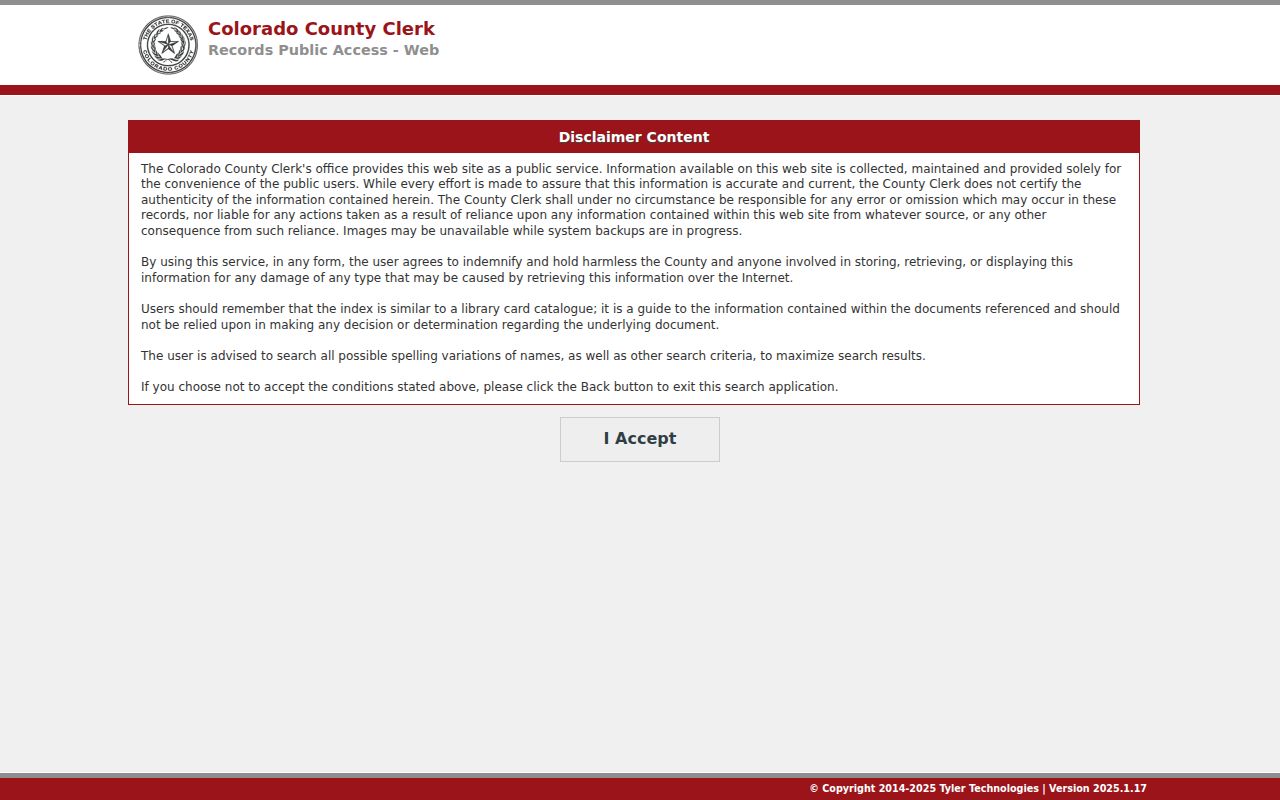
The warning draws a hard line. A searchable index is not an official Colorado County court record. A missing image should prompt a clerk request. It is not proof the filing never existed.
How the Clerk Keeps Docket Records
A clerk records filings and events, keeps the index, provides lawful access, and sells copies. But the clerk does not always set hearings. District administrators coordinate settings for their courts, the County Court coordinator runs that calendar, and JP and city clerks follow local procedures. Know who sets what.
| District Clerk service | 2024 posted amount |
|---|---|
| Search per name | $5 |
| Paper copy | $1 per page |
| Electronic copy | $1 up to ten pages, then $0.10 per page |
| Certified copy | $1 per page plus $5 per document |
The County Clerk has an office-specific schedule. The copy on hand is older, so confirm the current service and total before payment goes out.
Colorado County Court Caseload Context
No single Colorado County portal covers every court. State caseload reports show why. For the fiscal year from September 2024 through August 2025, the justice-court row opened with 14,899 total active pending matters, added 3,851, disposed 3,152, and closed at 15,665 active pending. Much of that inventory sat in the criminal and traffic reporting category.
These totals count cases, not people. No wrongdoing is implied. Added, reactivated, inactive, disposed, and end pending are technical terms with defined meanings. A JP traffic case can stay missing from a district or County Court search even when every system works.
The municipal reports prove the point. Columbus, Eagle Lake, and Weimar each report their own city docket activity, while the four JP precincts feed a different county-level report. A case can be reactivated later without becoming a new filing. Disposed counts measure events in the report period, not judgments against distinct people. Read the fiscal-year dates first. Check the definitions before comparing any Colorado County totals.
Federal Dockets Outside Colorado County
Federal cases never land in Colorado County portals. The county sits in the Southern District of Texas, Houston Division. PACER serves as the federal electronic docket system. But older paper files, sealed material, transcripts, or missing images may require the federal clerk. The Houston Division page lists Colorado County. Narrow the query with the federal court, case number, party, and date. Then review the docket report before opening documents. Keep federal results apart from Texas trial and appellate files.
City-by-City Court Dockets in Colorado County
Three incorporated cities sit inside Colorado County. Their municipal courts handle ordinance violations and Class C cases, so a city citation starts with that city's clerk, not the county clerk. Population figures here come from the 2020 Census, kept separate from the OCA's newer 2024 base so the two never blur together.
Columbus Court Records
About 3,588 residents · forms and clerk access
Eagle Lake Court Records
3,442 residents · citation search and payment portal
Weimar Court Records
2,076 residents · live docket, warrant, and form links
Columbus lets defendants file reply forms and payment-plan requests in writing. Eagle Lake offers a citation lookup that matches on identity, though it warns that some matters still require direct contact with the court. Weimar lists its Monday session hours and posts its docket through the official city court page.
Map and Directions to the Colorado County Courthouse
The 25th Judicial District Court and the 2nd 25th Judicial District Court keep their records at the Colorado County Courthouse, 400 Spring Street, in Columbus. District Clerk Valerie Harmon's office is Room 103 inside that building. The separate Courthouse Annex at 318 Spring Street, a few blocks away, holds the County Clerk's counter for the constitutional County Court, probate, and guardianship matters, so a county-court filing should not be sent to the courthouse address by mistake.
District Clerk
400 Spring Street, Room 103
Columbus, TX 78934
979-732-2536
Monday-Friday, 8:00-noon and 1:00-5:00
County Clerk (Courthouse Annex)
318 Spring Street, Room 103
Columbus, TX 78934
979-732-2155
Monday-Friday, 8:00-noon and 1:00-5:00
Both offices close for the same midday hour, noon to 1:00 p.m., so plan a visit around that gap. The District Clerk's office has public search terminals available during regular hours for district-court files. Call ahead if the visit concerns a foreclosure-sale notice, since the county currently designates the Annex foyer at 318 Spring Street as that posting location.